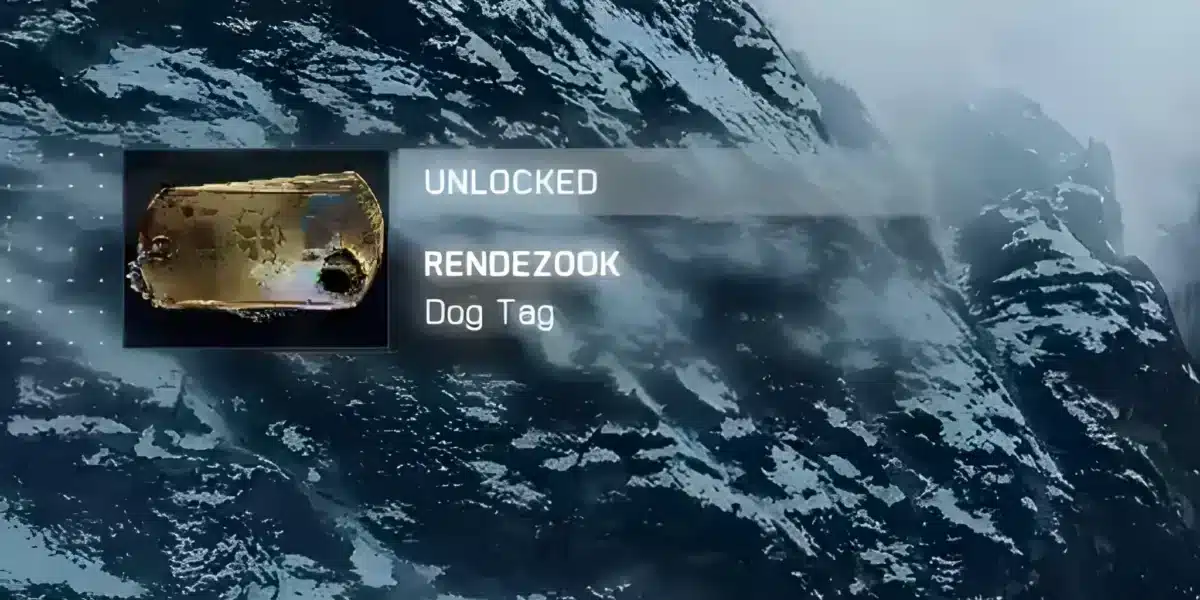
Battlefield 6 Twitch Drops give players a way to unlock selected in-game rewards by watching eligible Battlefield 6 or REDSEC livestreams on Twitch. Since the game’s reveal and Open Beta, EA has used several limited-time campaigns featuring weapon packages, soldier skins, vehicle cosmetics, charms, XP boosts, and other rewards.
Network problems can be particularly frustrating when you are trying to play after claiming a reward or joining a new seasonal update. If your matches are affected by unstable latency, our guide to Battlefield 6 latency issues and possible fixes explains common connection-related causes while you follow the latest Battlefield 6 Twitch Drops campaigns.
Battlefield 6 Twitch Drops have changed considerably since the Open Beta. The original 2025 promotion included the Battlefield 6 early access code and the Mimic Weapons Package BF6, while later campaigns introduced completely different rewards tied to launch, REDSEC, Creator Program promotions, and new seasons.
That distinction is important because older guides can make historical rewards look current. A Twitch Drop normally belongs to a specific promotional window, and watching a Battlefield stream after that campaign ends does not automatically unlock the same item.
As of 2026, Battlefield 6 is already well beyond its Open Beta and launch period. Therefore, searches for an early access key or Mimic package should be treated as searches for historical rewards rather than instructions for accessing the current game.
How do Battlefield 6 Twitch Drops work?
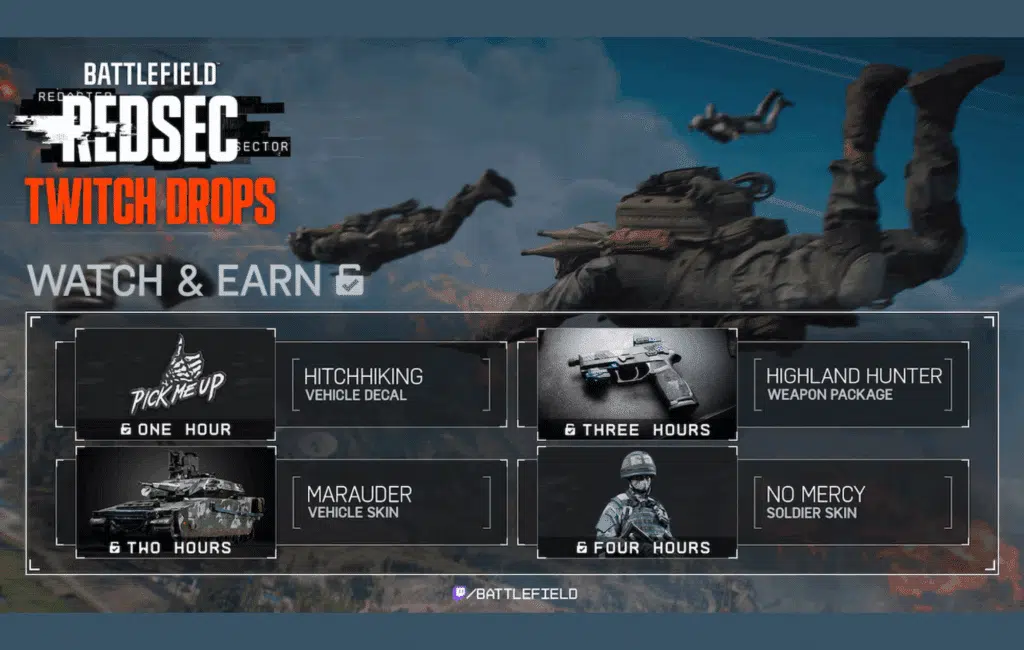
Battlefield 6 Twitch Drops connect eligible Twitch viewing activity with an EA Account. During an active campaign, players link the accounts, watch qualifying streams for the required amount of time, claim completed rewards through Twitch, and then log into Battlefield 6 or REDSEC.
The exact rewards and watch-time requirements depend on the campaign. EA has changed both several times since 2025, so there is no permanent four-hour reward list that applies to every Battlefield 6 Twitch Drops event.
What are the latest Battlefield 6 Twitch Drops?
EA’s current Battlefield 6 Twitch Drops page displays the Season 4 reward set. This campaign is separate from the original Open Beta promotion that offered the Battlefield 6 early access code and Mimic Weapons Package BF6.
The Season 4 launch reward progression shown by EA includes:
| Watch time | Season 4 reward |
| 1 hour | Cranial Blast weapon charm |
| 1.5 hours | 15-minute Hardware XP Boost |
| 2 hours | Razor Wire vehicle skin |
| 2.5 hours | 30-minute Hardware XP Boost |
| 3 hours | Ravenous Yeti weapon package |
| 3.5 hours | 60-minute Hardware XP Boost |
| 4 hours | Badlands Assault soldier skin |
These rewards demonstrate why players should always check the active campaign rather than following an old reward chart.
A campaign advertised during the Open Beta, launch week, REDSEC launch, or a previous season can have completely different milestones.
Also remember that a reward being documented on an official campaign page does not necessarily mean its earning window remains open indefinitely. Twitch campaigns are time-sensitive, and live eligibility should be confirmed before spending several hours watching a stream specifically for a reward.
How does Twitch track your watch time?
When a qualifying Battlefield 6 Twitch Drops campaign is active, Twitch tracks eligible viewing time while you are signed into the correct account.
You generally need to:
- Sign into Twitch.
- Link Twitch with the EA Account you use for Battlefield 6.
- Find an eligible Battlefield 6 or REDSEC stream.
- Confirm that Drops are enabled for the campaign.
- Watch for the required amount of time.
- Check your Twitch Drops Inventory for progress.
- Claim the reward when the requirement is complete.
- Launch Battlefield 6 or REDSEC using the appropriate linked account.
Watching multiple streams at once should not be treated as a shortcut for multiplying watch-time progress. Instead, use one eligible stream and check your Drops Inventory to make sure the campaign is actually progressing.
If Battlefield 6 itself refuses to launch after you receive a reward, that is a separate technical problem. PC players encountering security-related startup problems can use this Battlefield 6 Secure Boot error troubleshooting guide to investigate that issue rather than repeatedly reconnecting Twitch.
Can you still get a Battlefield 6 early access code?
The Battlefield 6 early access code was connected to the game’s 2025 Open Beta period. It was not a permanent code that continued providing early access after Battlefield 6 launched.
During Open Beta Early Access on August 7 and 8, 2025, eligible viewers could watch participating Battlefield 6 streams and unlock an early access code after 30 minutes, while supplies lasted.
That promotion is now historical.
Battlefield 6 has since launched as a full game, so there is no reason for a current player to obtain an Open Beta early access key in order to access the released version.
How did the Battlefield 6 early access code work?
The original Battlefield 6 early access code promotion was designed to let more players enter the Open Beta before its public weekend.
Players first needed to connect their EA and Twitch accounts. Then they watched an eligible creator during the Early Access promotional period.
After reaching the required 30 minutes, an eligible viewer could receive the Twitch Drop associated with early access, subject to the campaign’s availability conditions.
The code then had to be redeemed through the Battlefield code redemption system.
Importantly, this was different from the cosmetic Twitch Drops that followed. The code provided access to a limited pre-release testing period rather than a permanent cosmetic item.
Players who had qualified through Battlefield Labs before the relevant deadline also had another route into the Open Beta Early Access and did not necessarily need the Twitch code.
Does an old early access code still work?
You should not buy, trade, or search for an old Battlefield 6 early access code expecting it to provide special access to Battlefield 6 in 2026.
The code existed for a specific Open Beta access period. That period ended before the game’s retail launch.
Even if you encounter old screenshots, marketplace listings, social posts, videos, or unused-looking codes, they should not be treated as current game access.
The same caution applies to websites offering accounts or codes associated with old Twitch promotions. Avoid giving account credentials to third-party services simply because they advertise discontinued Battlefield rewards.
If you want to play Battlefield 6 today, use the game’s current official purchasing and platform options rather than attempting to recreate its pre-release access process.
What was the Mimic Weapons Package BF6 reward?
The Mimic Weapons Package BF6 reward was another part of the 2025 Open Beta Twitch campaign. Unlike the early access code, it was an in-game reward intended to become available when the game launched.
During the two Open Beta weekends, watching eligible Battlefield 6 streams for one hour was enough to earn the Mimic Weapons Package.
Longer watch times unlocked additional cosmetics during the same campaign.
How did you unlock the Mimic Weapons Package?
The Open Beta reward milestones were:
- 1 hour: Mimic Weapons Package BF6;
- 2 hours: Landslide soldier skin;
- 3 hours: Shattered vehicle skin;
- 4 hours: Imperial soldier skin.
Completed Drops appeared in the Twitch Drops Inventory and needed to be claimed according to the campaign requirements.
This means the Mimic package should not be confused with later Battlefield 6 weapon packages.
For example, launch week introduced the Cyber War Weapon Package, REDSEC Season 1 featured the Highland Hunter Weapons Package, and Season 4 introduced another weapon package as part of its own reward set.
The term “Weapon Package” also has a specific meaning in Battlefield 6. A package is a configured version of a base weapon with a particular attachment setup and visual treatment. Players can encounter Weapon Packages through progression, events, the Battle Pass, store content, and other systems.
Performance problems during combat are unrelated to whether a Twitch reward was delivered. If you are experiencing frame-rate instability instead, our guide to fixing FPS drops in Battlefield 6 focuses on graphics and system performance rather than Twitch account linking.
Can you earn the Mimic Weapons Package now?
The original Open Beta watch objective for the Mimic Weapons Package BF6 is over.
That means watching one hour of a current Battlefield stream does not automatically unlock the Mimic package. Current campaigns use their own rewards.
Players who earned the item during the Beta campaign should instead focus on whether it was correctly claimed and delivered to the linked account.
EA’s current support guidance also distinguishes previously earned Beta rewards from items that can still be earned. Beta rewards cannot simply be retroactively granted because a player completes the old requirement after the event.
Could EA return a previously distributed cosmetic or weapon package in another promotion? That is always possible for a live-service game, but a return should not be presented as confirmed unless EA announces it.
Until then, the Mimic Weapons Package BF6 should be treated as a historical Open Beta reward.
How do you claim Battlefield 6 Twitch Drops correctly?
Claiming Battlefield 6 Twitch Drops requires more than simply leaving a stream open.
The most important step is making sure the Twitch account tracking your viewing activity is connected to the EA Account associated with your game.
It is worth checking this before an event begins. Fixing an account-linking problem after completing several hours of viewing can be much more frustrating.
How to link your EA and Twitch accounts
The general process is straightforward.
Sign into the EA Account you use for Battlefield 6 and connect your Twitch account through EA’s supported account-linking process. Then make sure you are signed into that same Twitch account while watching.
After the connection is established:
- Find an eligible Battlefield stream.
- Verify that the relevant Drop campaign is active.
- Watch until the objective is completed.
- Open your Twitch Drops Inventory.
- Claim the completed Drop.
- Launch Battlefield 6 or REDSEC afterward.
- Check the appropriate customization, weapon, vehicle, or inventory area for the reward.
The official Battlefield 6 website and current game information is the better place to confirm current Battlefield announcements rather than relying on an old campaign article.
Current EA support information also notes that Battlefield 6 Twitch Drops need to be claimed through Twitch and can be tied to the first relevant platform used after claiming. As a result, account and platform selection matter.
This is particularly important for players who use more than one platform.
What should you do if a Twitch Drop is missing?
First, confirm that you actually completed the required watch objective.
Open your Twitch Drops Inventory and check whether the reward was earned and claimed. Watching the correct amount of time is not enough if the Drop still requires a claim action.
Then verify your account connections.
Ask yourself:
- Was I logged into the correct Twitch account?
- Is that Twitch account linked to my intended EA Account?
- Did I actually claim the reward?
- Did I launch the game on the intended platform afterward?
- Was the stream eligible for that specific campaign?
- Did I complete the objective during the valid campaign window?
EA currently advises Battlefield 6 players to claim eligible Twitch Drops within the required claiming period shown for the campaign. For recent support documentation, unclaimed Drops can have a limited claim window, so leaving them sitting in the inventory indefinitely is risky.
Restarting the game can also help if a successfully claimed reward has not appeared immediately.
However, unlinking accounts should not be used casually as a universal troubleshooting method. Account connections can have restrictions, and a reward already delivered to the wrong account or platform may not be transferable.
Are all Battlefield 6 Twitch Drops exclusive forever?

Not necessarily.
A limited campaign means you only have a limited opportunity to earn a reward through that particular Twitch objective. It does not automatically prove that the cosmetic can never return through another campaign or distribution method.
This is one area where the original article made the rewards sound more permanently exclusive than the available information supported.
Unless EA explicitly states that an item will never return, it is safer to describe it as a limited-time campaign reward.
What happened after the Open Beta Drops?
The 2025 Open Beta campaign was followed by several other promotions.
Battlefield 6 launch week offered a different reward set. Among those rewards were the Called Shotgun dog tag, Cyber War Weapon Package, Green Falcon vehicle skin, and Versatile soldier skin, with the Versatile reward connected to qualifying subscriptions or gifted subscriptions during that promotion.
REDSEC then received another Twitch campaign with its own watch-time progression.
Battlefield’s Creator Program has also been used for separate Twitch Drop events.
By 2026, seasonal campaigns continued the same general model, which is why a search for Battlefield 6 Twitch Drops now covers far more than the Battlefield 6 early access code or Mimic Weapons Package BF6.
How should you check whether a reward is current?
Look for an active campaign rather than an old article describing one.
Dates are critical.
A page discussing August 2025 may still rank highly in search results even though Battlefield 6 has since launched and moved through several seasons.
The reward names themselves are another clue.
If a guide says watching one hour awards the Mimic Weapons Package BF6, it is describing the Open Beta campaign. If another source lists Cranial Blast, Razor Wire, Ravenous Yeti, and Badlands Assault, it is referring to the Season 4 set.
Battlefield 6 has evolved considerably since its pre-release period. For readers who want broader background on the title rather than only reward campaigns, this overview of Battlefield 6 and its history provides general context about the game.
Still, current promotional eligibility should always be checked against live EA and Twitch information because events can start and end much faster than general game pages change.
How can ExitLag help with Battlefield 6 Twitch Drops?
ExitLag does not grant Twitch Drops, change watch-time requirements, generate codes, or force rewards to appear in an EA Account.
Its role is limited to network optimization.
This distinction is important because the original article connected ExitLag too directly with Twitch streaming quality and reward syncing. Claiming a Drop is primarily an EA/Twitch account and campaign process, not something a game-routing service can guarantee or accelerate.
When can ExitLag be useful?
ExitLag may be relevant after you return to Battlefield 6 and experience connection-related problems during online gameplay.
It is designed to optimize network routes for supported game connections and can help provide a more stable route in situations where the default path used by an ISP is inefficient or unstable.
Potential network-related symptoms include:
- high or inconsistent latency;
- sudden ping spikes;
- packet-loss-related interruptions;
- unstable routing;
- connection instability during multiplayer matches.
Results depend on factors such as your ISP, region, game server, network conditions, and available routes.
ExitLag therefore should not be described as guaranteeing lower ping or perfect connectivity.
What cannot ExitLag fix?
ExitLag cannot:
- unlock Battlefield 6 Twitch Drops;
- generate a Battlefield 6 early access code;
- restore an expired Twitch campaign;
- unlock the Mimic Weapons Package BF6;
- transfer rewards between EA Accounts;
- force Twitch to track watch time;
- fix an incorrectly linked account;
- bypass Drop eligibility requirements;
- increase FPS caused by hardware limitations;
- fix Battlefield 6 bugs;
- restore EA servers during a widespread outage.
If your Drop is missing, begin with the account, campaign, and claiming checks described above.
If your reward is already working but multiplayer connectivity is unstable, then testing a network-routing solution such as ExitLag can make sense.
FAQ
Battlefield 6 has had multiple Twitch campaigns since its pre-release period, so older searches often mix Beta codes with current cosmetics and seasonal rewards.
The following answers separate the major campaigns and explain what players can still do today.
Watch-time Drops normally do not require you to purchase the reward itself.
However, specific campaigns can use different objectives. For example, Battlefield 6 launch week included a soldier skin associated with subscribing to or gifting a subscription to an eligible creator, while other rewards used watch-time requirements.
Always read the conditions for the specific campaign.
No current player needs the old Battlefield 6 early access code to access the released game.
That code belonged to the August 2025 Open Beta Early Access campaign and unlocked access to a pre-release testing window.
It should now be treated as historical information.
During the eligible Open Beta Early Access promotion, viewers could unlock the Battlefield 6 early access code after watching for 30 minutes, subject to availability.
That objective was separate from the longer cosmetic reward track.
The Mimic Weapons Package BF6 required one hour of eligible watch time during the Battlefield 6 Open Beta Twitch Drops campaign.
Two hours unlocked the Landslide soldier skin, three hours unlocked the Shattered vehicle skin, and four hours unlocked the Imperial soldier skin.
Those were Open Beta objectives, not permanent Twitch requirements.
The original watch-time campaign for the Mimic Weapons Package BF6 has ended.
If EA reintroduces the package in the future, that would need to be announced through a new campaign or another official distribution method.
Do not assume a current one-hour Twitch session will provide it.
Recent Battlefield campaigns have connected rewards across Battlefield 6 and REDSEC in various ways.
However, the exact behavior can depend on the campaign.
Always read the conditions associated with the active Drop instead of assuming every historical reward works identically.
The most common things to check are whether you completed the objective, claimed the reward in Twitch, linked the correct EA Account, and logged into the intended platform.
Also verify that the campaign was still active when you completed the watch requirement.
Restarting the game can help refresh a correctly claimed reward, but it cannot recreate an expired or unearned Drop.
Third-party marketplaces may advertise accounts, codes, or old promotional rewards, but using them can introduce account-security, eligibility, or redemption risks.
A listing does not prove that an old campaign item can legitimately be transferred to your account.
Official campaigns are the safest way to obtain new rewards.
You should not rely on opening several eligible streams to multiply watch-time progress.
Use one qualifying stream and monitor the progress shown in Twitch’s Drops Inventory.
If progress is not moving, first verify the campaign, stream eligibility, and account connection.
EA’s current campaign page displays a Season 4 set featuring the Cranial Blast weapon charm, Hardware XP Boosts, Razor Wire vehicle skin, Ravenous Yeti weapon package, and Badlands Assault soldier skin.
This is distinct from the historical Mimic Weapons Package BF6 campaign.
Because Twitch campaigns are temporary, check live eligibility before watching solely to unlock one of these rewards.
Battlefield 6 has already received multiple campaigns tied to different stages of the game, including the Open Beta, launch, REDSEC, Creator Program promotions, and seasonal content.
That history makes future campaigns possible, but individual reward sets and dates should not be predicted before EA confirms them.
Watch for official announcements whenever a new season, major update, or community event approaches.
Battlefield 6 Twitch Drops are easiest to manage when you treat every promotion as its own event: confirm the dates, verify that your EA and Twitch accounts are linked, watch an eligible stream, and claim the reward before the applicable deadline. Historical rewards such as the Battlefield 6 early access code and Mimic Weapons Package BF6 should not be confused with current campaigns, and if network instability affects your matches afterward, ExitLag may help optimize supported routes depending on your connection. Following those steps is the safest way to make sure you do not miss future Battlefield 6 Twitch Drops.
All game images used in this article belong to their respective owners. They are used for informational and educational purposes only and do not imply endorsement or affiliation with the rights holders.
Got questions or want to connect with other players? Join the conversation at the ExitLag Forum!