

When it comes to Counter-Strike 2 (CS2), precision is the key to success. Every headshot, flick, or spray control depends on consistent practice. That’s why using an aim training map CS2 is one of the best ways to sharpen your skills and become a more reliable player during competitive matches.
Whether you’re new to the game or a long-time Counter-Strike player, mastering aim training maps can significantly elevate your mechanical performance. These maps allow players to isolate different aiming aspects like reflexes, tracking, flicking, and recoil control in a controlled environment. In this complete guide, we’ll explore what an aim training map CS2 is, the best ones available in the CS2 Workshop, and how tools like ExitLag can enhance your experience while you train.
What Is an Aim Training Map CS2?
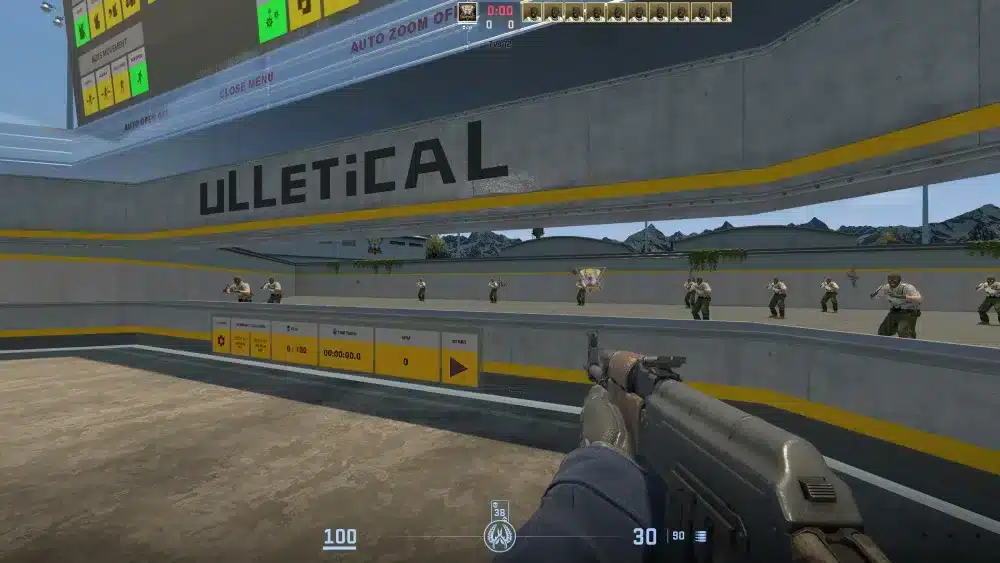
An aim training map CS2 is a custom environment designed specifically to help players practice aiming techniques. These maps simulate real combat situations without the pressure of a live match. Players can train against moving bots, practice flick shots with the AWP, or fine-tune crosshair placement with various weapon types.
The purpose of aim training maps is to provide structured, repeatable drills. Each map focuses on different skills: some emphasize reflex training, while others focus on spray control or target tracking. The most popular examples include Aim Botz, Recoil Master, and Fast Aim/Reflex Training.
These training tools are available through the Steam Workshop, where players can easily download and customize them. The CS2 aim training map community constantly updates and optimizes these maps to match gameplay updates from Valve.
Best Aim Training Maps in CS2
If you’re wondering which are the best aim training map CS2 options, here’s a list of the top-rated community creations that thousands of players use daily to improve their aim:
1. Aim Botz – Training
Aim Botz remains the most popular CS2 aim training map available. It allows players to control every aspect of their training routine. You can spawn multiple bots, adjust their movement speed, and choose between headshot-only or full-body targets.
This map’s versatility makes it perfect for both beginners and pros. It also includes built-in stats to track accuracy and reaction improvements over time.
2. Recoil Master – Spray Training
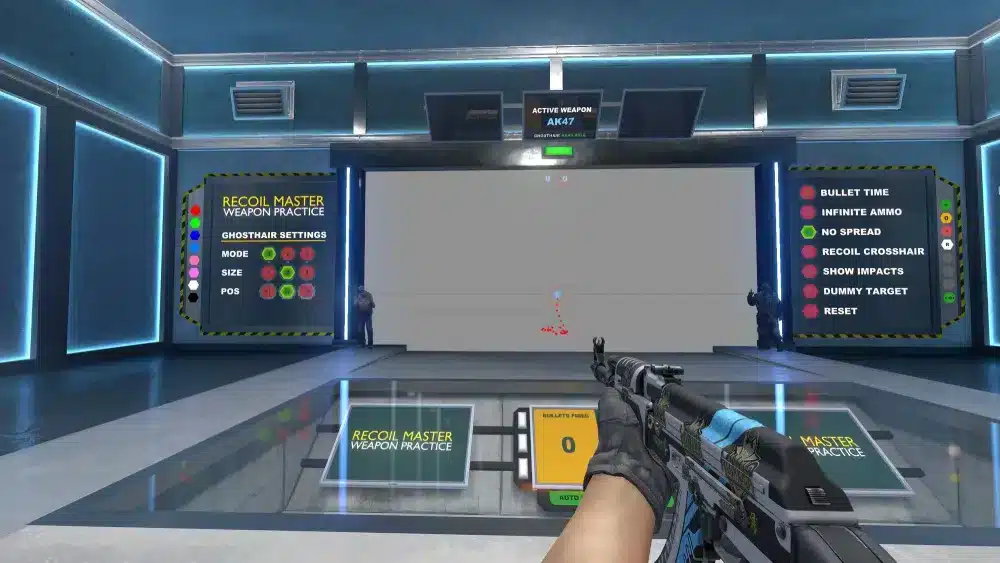
The Recoil Master map focuses on recoil control, one of the most overlooked aspects of aim precision. Each weapon in CS2 has a unique spray pattern, and learning to control it effectively can turn the tide in gunfights.
Players can visualize spray patterns in real time, practice corrections, and even track improvement through on-screen feedback. This is essential for rifles like the AK-47 and M4A4.
3. Fast Aim/Reflex Training Map
If you want to train reaction time and flick shots, this map is perfect. Fast Aim/Reflex Training throws moving targets at varying distances, forcing you to respond instantly. It’s an excellent warm-up before competitive matches.
The map’s simplicity makes it one of the most effective for short, daily training sessions. Just a few minutes per day can lead to noticeable improvements in consistency.
4. AWP Aim Training Map CS2
For players specializing in sniping, the AWP aim training map CS2 is a must-try. It focuses solely on AWP mechanics, helping you perfect flick shots and no-scopes in high-pressure situations.
Practicing in this environment builds confidence and steadiness when holding angles or peeking corners.
5. CS2 Training Center
The CS2 Training Center combines multiple aim drills into a single environment. It includes reflex challenges, tracking practice, and movement-based shooting. Ideal for players looking to diversify their training routines.
Below is a quick comparison of the most popular aim training maps in CS2:
| Map Name | Main Focus | Suitable For | Features |
| Aim Botz | Reflex & accuracy | All players | Custom bot controls, stat tracking |
| Recoil Master | Spray control | Rifle players | Visual spray patterns, feedback system |
| Fast Aim/Reflex | Reaction time | Competitive warm-up | Moving targets, distance control |
| AWP Aim Training | Sniper accuracy | AWP mains | Flick training, scoped practice |
| CS2 Training Center | Comprehensive aim practice | All players | Multiple training modules |
Map Aim: How to Get an Aim Training Map CS2
To access an aim training map CS2, follow these steps:
- Open Counter-Strike 2 on Steam.
- Click on the Workshop tab from the main menu.
- Search for the desired map (e.g., “Aim Botz” or “Recoil Master”).
- Click Subscribe to download it automatically.
- Launch CS2, go to “Play > Workshop Maps,” and select your map.
Once loaded, customize the training settings such as bot speed, weapon type, or target behavior. You can also download multiple maps to target specific skills during each session.
Using these workshop maps is completely free and requires no external software besides Steam.
Why Consistent Aim Training Matters
Aiming is not just a mechanical skill; it’s a mental one. The more consistent your training sessions, the better your muscle memory and crosshair placement become. Regular use of an aim training map CS2 can increase confidence in duels and improve your reaction to unexpected enemy peeks.
Players who dedicate at least 15–30 minutes daily to aim practice often see tangible improvements in their KD ratio and clutch performance. Combining different maps ensures you develop both micro and macro aiming skills.
The Role of Aim Botz CS2 in Skill Development
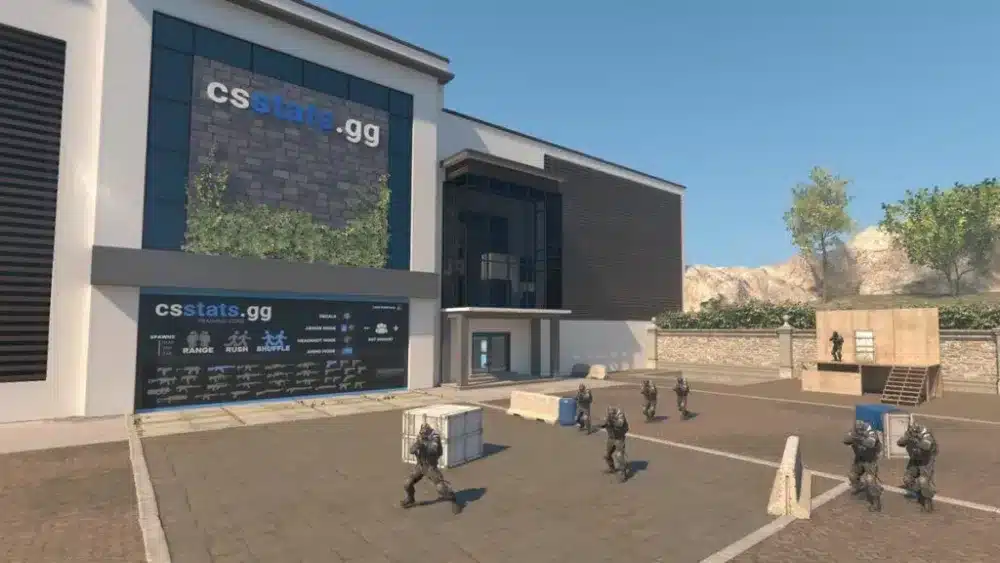
Among all available options, aim botz CS2 remains the benchmark for aim training. Its customizable settings allow for progression tracking, which helps players identify weaknesses.
You can toggle between moving and stationary bots, practice spray transitions, or simulate common in-game scenarios. The map’s balance between realism and flexibility makes it ideal for players across all skill levels.
Additionally, many professional players use Aim Botz as part of their warm-up routine before tournaments or ranked matches.
Integrating Aim Training with Real Matches
To truly benefit from your CS2 aim training, you need to transfer your practice into real matches. After each session, queue up for a few deathmatches or unranked games. This helps your brain associate trained movements with actual game situations.
When combining an aim map with real gameplay, remember to:
- Focus on crosshair placement rather than movement.
- Keep consistent sensitivity settings.
- Record your gameplay to identify aiming habits.
This bridge between training and competition is essential to ensure your progress translates into results.
Advanced Tips for Aim Training Map CS2
Once you have mastered the basics of aim training maps, it’s time to refine your techniques. Precision improvement comes from variety, consistency, and awareness. Here are advanced strategies for using an aim training map CS2 more effectively.
Vary Your Routine
Repeating the same routine daily can lead to mechanical stagnation. Alternate between aim botz CS2, recoil master, and reflex maps. Adjust weapon types, practice different engagement distances, and simulate specific in-game scenarios. The more you diversify, the more adaptable your aim becomes.
Track Your Progress
Keep track of your accuracy, reaction time, and spray control improvements. Many players record their practice sessions or use training journals to measure performance over time. This helps identify weak points and target them specifically in future sessions.
Combine Map Training with Deathmatch
Workshop maps build mechanical skill, but to apply those improvements, you need to test them in real environments. Alternate between map practice and aim training online in deathmatches or scrims. This combination builds both consistency and confidence.
ExitLag and Online Competitive Practice
While aim training map CS2 sessions are typically offline, your connection becomes crucial once you move into online competitive play. Lag or unstable ping can disrupt shot registration and reaction accuracy.
That’s where ExitLag plays a vital role — not during offline training, but during live online matches. It optimizes your network routes to minimize packet loss and latency. Note: ExitLag focuses exclusively on online connectivity and does not affect offline or local aim training maps.
How to Create a Personalized Aim Routine
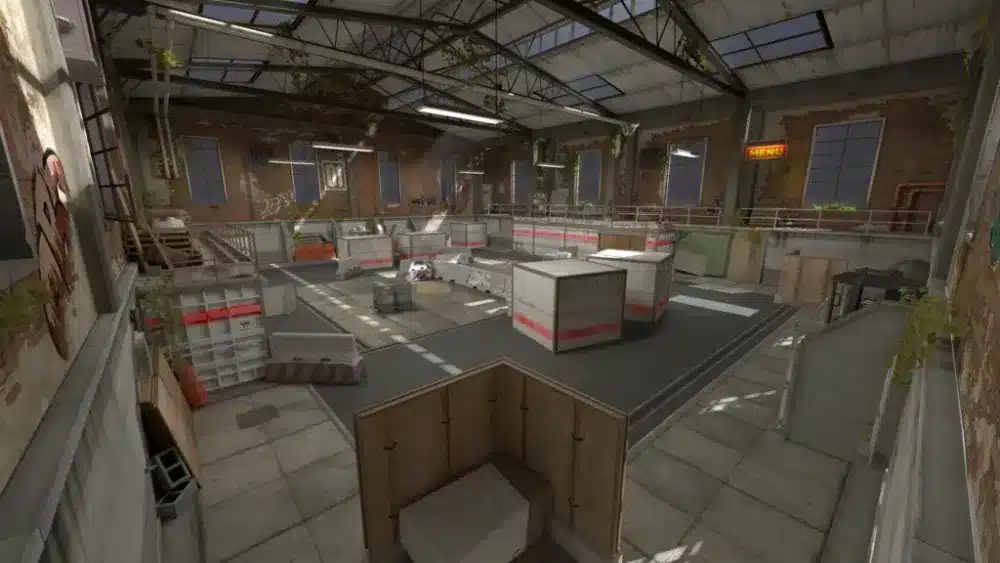
Building an effective routine depends on your available time and preferred weapons. Below is an example structure used by many experienced players:
- Warm-up (5 minutes): Start with fast target maps like Fast Aim/Reflex.
- Accuracy (10 minutes): Use Aim Botz for crosshair placement and precision.
- Recoil (10 minutes): Move to Recoil Master for rifle spray patterns.
- Reflex and Flicks (10 minutes): Focus on AWP or pistol flicks using reflex maps.
- Cooldown (5 minutes): Finish with free shooting or relaxed tracking.
Maintaining a consistent schedule ensures long-term improvement. Adjust the timing and sequence based on your performance focus.
Common Mistakes When Using Aim Maps
Even with the best CS2 aim training map, players can fall into ineffective habits. Avoid these common pitfalls:
- Neglecting crosshair placement: Always keep it at head level.
- Training without purpose: Set specific goals for each session.
- Changing sensitivity too often: Stick with one until muscle memory stabilizes.
- Ignoring movement mechanics: Combine strafing with shooting for realism.
- Skipping rest days: Overtraining can cause fatigue and reduce precision.
Transitioning from Aim Maps to Ranked Matches
After consistent sessions on aim training map cs2, the next step is integrating your skills into ranked play. Focus on consistency under pressure. Remember:
- Every online duel is a test of both aim and decision-making.
- Don’t rely solely on reflexes; positioning and utility usage are equally vital.
- Maintain composure — overflicking often results from nervous reactions.
Tip: Use ExitLag before entering competitive queues to secure stable ping and avoid lag spikes during matches. This ensures your trained aim translates accurately in online play.
Community Feedback and Map Limitations
The CS2 aim training map ecosystem is constantly evolving. While popular maps like Aim Botz and Recoil Master have been adapted for CS2, some community feedback points to incomplete features or minor bugs. For example, certain bots may behave differently than in CS:GO aim training, or recoil patterns may not perfectly replicate in some ports.
Players are encouraged to follow Workshop creators’ updates and official Steam pages to ensure they’re using the latest map versions. In many cases, the CS2 community provides frequent patches and updates for better functionality.
External Resources for Training and Improvement
To maximize your improvement, combine map practice with educational content and professional analysis. Trusted resources include:
- Steam Community Workshop
- uLLeticaL’s Official Website – creator of Aim Botz and Recoil Master
- Reddit r/GlobalOffensive for community discussions and feedback
These sources provide verified information, map updates, and user tips that ensure you’re training with accurate tools.
How ExitLag Enhances an Aim Training Map CS2
ExitLag optimizes your connection for smoother performance and minimal latency. When using an aim training map CS2, connection stability is just as important as mechanical precision. Lag or packet loss can interfere with your reaction time and muscle memory.
Frequently Asked Questions (FAQ)
Aim Botz remains the most recommended aim training map cs2 because of its customization options and active developer support. However, Recoil Master and Fast Aim/Reflex are also essential for specific skills.
You can download maps from the Steam Workshop by searching for their names (e.g., “Aim Botz”) and clicking Subscribe. They will automatically appear in your Workshop Maps tab inside CS2.
Most aim training map cs2 sessions are offline, meaning they don’t require an internet connection. However, online aim trainers also exist for browser or server-based practice.
ExitLag is designed for online connectivity optimization, not offline maps. Its benefit comes when transitioning to competitive matches where stable ping and reduced lag improve shot consistency.
Between 20–30 minutes per day is sufficient for most players. Quality of practice is more important than quantity.
Got questions or want to connect with other players? Join the conversation at the ExitLag Forum!



